For Business Use
For Payers
File a 1099-NEC for every contractor, freelancer, or attorney you paid $600 or more during the year.
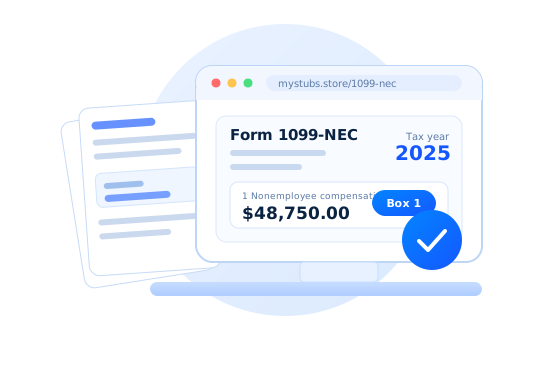
From $10.99 / form
Create Payer 1099-NEC
Create IRS Form 1099-NEC online for contractors you paid $600 or more, with a free preview and all four IRS copies.
File a 1099-NEC for every contractor, freelancer, or attorney you paid $600 or more during the year.
From $10.99 / form
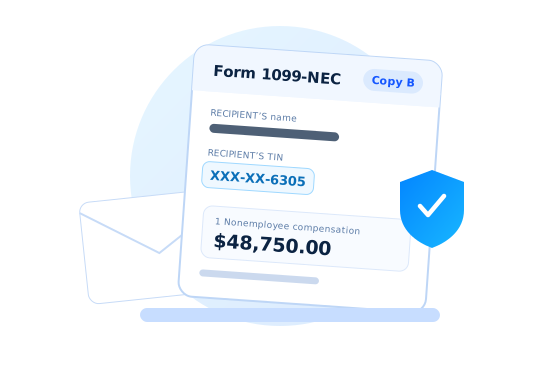
Create Payer 1099-NECRecreate a Copy B you never received or misplaced, with your recipient TIN truncated the way the IRS requires.
From $10.99 / form
Create Recipient CopyCreates a print-ready 1099-NEC in minutes with a simple 3-step process.
Form 1099-NEC is the IRS information return used to report nonemployee compensation — what a business paid an independent contractor, freelancer, or other non-employee for services during the calendar year.
The payer files it with the IRS and gives the recipient a copy. It is the contractor's counterpart to an employee's W-2, and the reporting threshold is $600 for the year.
MyStubs.shop fills the official IRS 1099-NEC layout (Rev. April 2025), carries your entries onto every copy, and truncates the recipient TIN on the copies where the IRS allows it. Preview the whole form before you pay and download all four copies as one PDF.

Create a complete IRS Form 1099-NEC for $10.99.
Create 1099-NECEnter the payer and recipient once. MyStubs.shop writes the same figures to Copy A, Copy 1, Copy B, and Copy 2, and truncates the recipient TIN on the recipient copies so you are not mailing a full SSN.
Three things. Gather them once and the form itself takes a couple of minutes.
Legal name, address, phone, and your EIN — or your SSN if you are a sole proprietor without one. Saved to your account, so next January starts pre-filled.
Their legal name, address and TIN, taken from the W-9 they signed. Collect it before you pay them, not in January — if they will not supply a TIN you must begin 24% backup withholding.
Everything you paid that contractor for services during the calendar year, which should reconcile with your own books. Federal or state withholding only if you actually withheld any.
One form, one layout — the official IRS 1099-NEC. Every order returns all four copies (A, 1, B and 2) in a single PDF, with the recipient TIN truncated on the two copies the IRS permits it on.
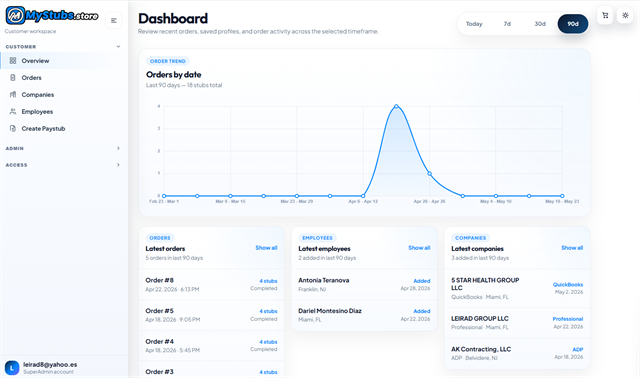
Your account keeps each 1099-NEC you create. Re-download any copy at any time, and start next January from last year's payer details.
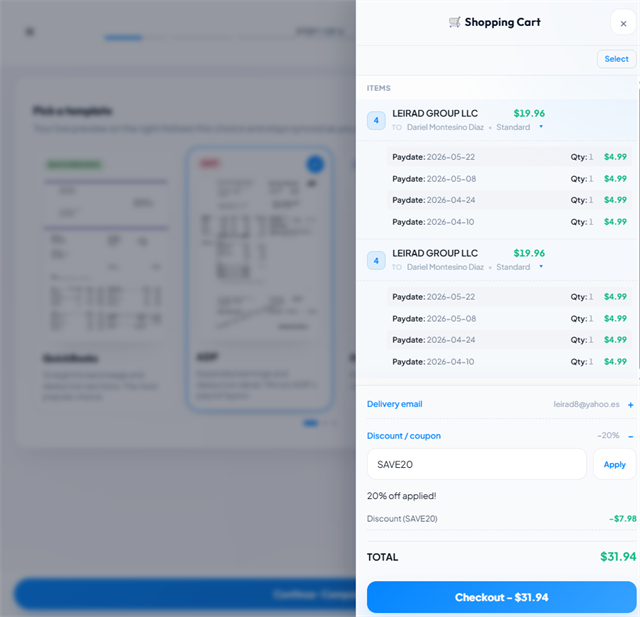
Use code FIRST20 at checkout.
Filing for several contractors? Add each one to the cart and pay for the whole batch at once.
Real feedback from customers using MyStubs to create pay records and tax forms online.
Used MyStubs.shop for a lawful pay record and the result looked clean and professional. Support helped through chat and the workflow was easy to finish.
The generator is simple to use and the final paystub layout came out well
As a freelancer, this saved time when I needed an organized earnings document for my own records
Use MyStubs.shop para generar un paystub de forma legitima y quedo muy profesional. Muy recomendado.
I needed a cleaner way to document pay details for my own records, and the chat support was great.
Overall a good experience. The paystub looked professional, but I had to adjust one small detail before finalizing. Dariel responded quickly when I reached out.
Necesitaba un documento de ingresos y MyStubs.shop fue muy facil de usar. Gracias.
As a gig worker, this made it easier to create an organized record of my pay details in minutes. Dariel walked me through the setup.
Lo use para crear un paystub con formato profesional para mis registros. El proceso fue rapido y Dariel me ayudo con los datos. Recomendado 100%.
A friend recommended MyStubs.shop because of result. I used it as a contractor to organize pay documentation and the process worked smoothly.
I needed a neatly formatted paystub document and MyStubs.shop made it quick. easy form step by step.
Soy contratista y no siempre tengo paystubs tradicionales. Use MyStubs.shop para crear un documento organizado y Dariel fue muy atento en el chat.
Super easy to use. The paystub layout looked professional and the preview made it easy to review everything before downloading. Thanks to Dariel for the quick support.
I finally found a practical way to organize income documentation as a self-employed worker. Dariel made the process smooth and easy to finish.
Use MyStubs.shop para crear un paystub profesional para mis registros. Dariel me ayudo personalmente por chat y el proceso fue muy claro.
Who has to file, what the $600 threshold covers, when it is due, how the copies differ, and what happens if a contractor will not give you a TIN.
Form 1099-NEC reports nonemployee compensation - payments of $600 or more made during the year to independent contractors, freelancers, attorneys, and other non-employees for services performed for your business. The payer files it with the IRS and gives the recipient a copy by January 31 of the following year.
Any trade or business - including a sole proprietor, LLC, partnership, corporation, or nonprofit - that paid a non-employee $600 or more for services during the calendar year. You file one form per recipient. Payments to corporations, payments for merchandise, rent, and employee wages are reported differently or not at all.
It is the annual total per recipient, not per payment. Six separate $100 invoices to the same contractor over the year add up to $600 and trigger a form; a single $400 project does not. The total includes parts and materials supplied as part of the service.
January 31. That one date covers both the recipient copy and the Copy A filing with the IRS, whether you file on paper or electronically. If January 31 falls on a weekend or holiday, the deadline moves to the next business day. Unlike most information returns, there is no automatic 30-day extension.
Use the 1099-NEC when you paid for services - contractor labor, consulting, design, legal fees. Use the 1099-MISC for rents, royalties, prizes and awards, medical and health care payments, crop insurance, fishing boat proceeds, and attorney gross proceeds. Before the 2020 tax year, nonemployee compensation lived in Box 7 of the 1099-MISC, which is why older guidance still calls it Box 7 income.
The form follows the working relationship. An employee, whose work you direct as to what is done and how, gets a W-2 with taxes withheld. An independent contractor, who controls how the work gets done and generally serves several clients, gets a 1099-NEC and pays their own income and self-employment tax.
Your business name, address, phone, and TIN (EIN, or SSN for a sole proprietor); the contractor's legal name, address, and TIN from their Form W-9; the tax year; the total paid in Box 1; and any federal or state withholding. An account number is optional and useful when one recipient has more than one form.
Make a documented reasonable effort to obtain it - typically by sending Form W-9 and following up in writing. If the contractor still refuses, begin 24% federal backup withholding on further payments, and file the 1099-NEC anyway showing the amount you withheld in Box 4.
No. Under IRS Treas. Reg. Sec. 301.6109-4, the recipient TIN is truncated to XXX-XX-#### on Copy B (recipient) and Copy 2 (recipient's state return). The full TIN appears only on Copy A for the IRS and Copy 1 for the state tax department. Our generator applies that masking for you.
Penalties scale with how late the form is, and they apply separately to the IRS filing and to the recipient copy - so a single form filed late in both directions is penalized twice. Intentional disregard carries a substantially higher penalty with no annual cap. Filing on time with a later correction is almost always cheaper than filing late.
Yes. Each completed form becomes a line item in your cart. Pay once and the whole batch arrives as a combined PDF by email, with every form also retrievable individually from your account.
It depends on the state. Some participate in the IRS Combined Federal/State Filing program and receive the data from the IRS; others require a direct filing, sometimes on an earlier deadline. States with no personal income tax generally require nothing. If you withheld state tax, expect a state filing obligation.
Real insights on contractor pay, 1099 reporting, income verification, and proof of income — written for businesses, freelancers, and accountants.
View all articlesDefinitions, comparisons, and state-by-state guides that explain who files a 1099-NEC, what goes in each box, and how it differs from a W-2.
Browse the glossaryState reporting rules differ — some states participate in the Combined Federal/State Filing program, others want a direct filing. Find yours.
Open the state guidesThe definition, the $600 threshold, and who files it.
Read definition W-2 vs 1099Employee or contractor — which form the worker gets.
Read definition What Is Box 7 on a 1099Where nonemployee compensation moved after 2020.
Read definition What Is Form W-9How you collect a contractor's TIN before you pay them.
Read definition What Is Form 1099-MISCRents, royalties, prizes — the form for everything else.
Read definition 1099s as Proof of IncomeHow contractors document income for rentals and loans.
Read guideEnter the payer and the contractor, review the filled IRS form, and download all four copies instantly.
This overview connects directly to the glossary entries and state guides linked above, so you can read the essentials here and open a deeper page when you need more detail.
Form 1099-NEC is an IRS information return. Its one job is to report nonemployee compensation — money a business paid to someone who is not its employee, in exchange for services. The letters stand for Non-Employee Compensation.
It works like a W-2 for contractors. The payer reports the total to the IRS and hands a copy to the person who was paid, so both sides of the transaction report the same number. The contractor then carries that figure onto their own tax return, usually on Schedule C, and pays income tax and self-employment tax on it.
The form is short on purpose. Most 1099-NECs use exactly one dollar box: Box 1. Everything else on the page is identifying information about the two parties, plus optional withholding rows.
You file a 1099-NEC if you are engaged in a trade or business — including a sole proprietorship, a single-member LLC, a partnership, a corporation, or a nonprofit — and during the calendar year you paid $600 or more to a non-employee for services.
That covers independent contractors, freelancers, consultants, gig workers, subcontractors on a jobsite, and attorneys paid for legal services. It also covers parts and materials supplied as part of the service.
You generally do not file one for payments to a corporation, for merchandise or inventory, for rent (that is 1099-MISC), for employee wages (that is a W-2), or for personal payments unrelated to a business. Payments routed through a payment card or a third-party network are reported by the processor on Form 1099-K instead, not by you.
The left column of the form identifies the two parties; the right column carries the money.
Payer name, street address, city, state, ZIP, phone, and TIN sit at the top left. Below them go the recipient's name, address, and TIN, plus an optional account number you can use to tell two forms for the same person apart.
The total you paid that person for services during the year. This is the box almost every 1099-NEC uses, and the number the contractor reports as business income.
Checked when you made direct sales totaling $5,000 or more of consumer products to the recipient for resale. It is a checkbox, not an amount.
Rarely used. Reports excess parachute payments to a disqualified individual under IRC § 280G.
Usually zero. It carries backup withholding — the 24% you are required to withhold when a contractor will not supply a valid TIN, or when the IRS notifies you to start withholding.
State tax withheld, the state and your state payer number, and the state income amount. The form carries two rows so one contractor can be split across two states.
A single 1099-NEC is printed as a set of copies. They carry identical figures; what differs is the destination and, in one important respect, what is allowed to appear on them.
The IRS copy, printed in the scannable red ink you see on the official form. The recipient's full TIN is required here; truncation is not permitted.
Filed with your state's tax department when the state requires a copy. It also carries the full TIN.
The copy that goes to the contractor for their records. Under IRS Treas. Reg. § 301.6109-4, the recipient's TIN may be truncated to XXX-XX-#### here, which is why a mailed Copy B should not expose a full SSN.
The contractor files this one with their state income tax return when required. Truncation is permitted here as well.
Both forms report payments a business made to someone outside its payroll, but they split the work by what was paid for.
Use the 1099-NEC when you paid for services: a designer's project fee, a subcontractor's labor, a consultant's retainer, an attorney's fee for legal work. Use the 1099-MISC for rents, royalties, prizes and awards, medical and health care payments, crop insurance proceeds, fishing boat proceeds, and attorney gross proceeds from a settlement.
Before the 2020 tax year there was no separate NEC form — nonemployee compensation was reported in Box 7 of the 1099-MISC. The IRS split it back out to give nonemployee compensation its own January 31 deadline, which is why older guidance still refers to "Box 7 income."
The form follows the working relationship, not the preference of either side. An employee — someone whose work you direct as to what is done and how it is done — gets a W-2, and you withhold income tax, Social Security, and Medicare from their pay. An independent contractor controls how the work gets done, supplies their own tools, and generally serves more than one client; they get a 1099-NEC and handle their own taxes.
The distinction matters because misclassification is expensive. If a worker who should have been an employee was issued a 1099-NEC, the business can be liable for the unpaid employment taxes plus penalties. The IRS weighs behavioral control, financial control, and the nature of the relationship rather than any single test.
Form 1099-NEC has one deadline for everything: January 31. The recipient copy must be furnished by then, and Copy A must be filed with the IRS by then too, whether you file on paper or electronically. When January 31 falls on a weekend or holiday, the deadline moves to the next business day.
That single date is what separates the NEC from most other information returns, which give filers until late February or March for the IRS copy. There is no automatic 30-day extension for the 1099-NEC.
Late filing penalties scale with how late you are, and they apply separately to the IRS filing and the recipient copy — so one form filed late in both directions is penalized twice. Intentional disregard carries a substantially higher penalty with no cap. Filing something imperfect on time is nearly always better than filing nothing.
Collect the contractor's information before you pay them, not in January. The instrument for that is Form W-9: the contractor fills it in with their legal name, business name, federal tax classification, address, and TIN, and signs it. Keep it on file; you do not send it to the IRS.
On your side you need your business's legal name, address, phone number, and EIN — or your SSN if you are a sole proprietor without an EIN. Then you need the year's total paid to that contractor, which should reconcile with your own books.
If a contractor refuses to provide a TIN, you must make a reasonable documented effort to get it, begin 24% backup withholding on further payments, and still file the 1099-NEC showing what you withheld in Box 4.
Federal filing is only half the picture. Many states want their own copy of the 1099-NEC, and the rules are not uniform.
Some states participate in the IRS Combined Federal/State Filing program, which forwards the federal filing to the state for you. Others require a direct submission to the state revenue department, sometimes on an earlier deadline than the federal one. States with no personal income tax generally require nothing at all.
If you withheld state tax, you will almost always have a state filing obligation regardless of the program, and Boxes 5 through 7 on the form carry those amounts.
The errors that cause the most rework are mundane: a transposed digit in a TIN, a legal name that does not match the TIN on file with the IRS, an amount that includes reimbursed expenses that should have been excluded, or a form issued to a corporation that never needed one.
When a filed form is wrong, the fix is a corrected return — the same form with the CORRECTED box checked — sent to both the IRS and the recipient. A form that should never have been filed is corrected by refiling it with zero in Box 1.
Keep copies of the forms you issued, the W-9s that backed them, and the payment records that support each amount. Three to four years is the common retention window, and having the set together is what makes an inquiry a five-minute answer instead of a reconstruction project.
A generator is useful for the same reason a payroll template is: the arithmetic is trivial, but the layout, the copy set, and the privacy rules are fiddly and easy to get wrong by hand.
MyStubs.shop fills the official IRS 1099-NEC layout from what you type, carries the same figures onto Copy A, Copy 1, Copy B, and Copy 2, and truncates the recipient TIN on the copies where truncation is permitted. You see the full filled form as a watermarked preview before paying, and the finished PDF arrives by email and stays in your account for re-download.
A generated form is a correctly formatted document built from the figures you supply — the accuracy of those figures, and the decision about whether a worker is a contractor at all, remain yours.